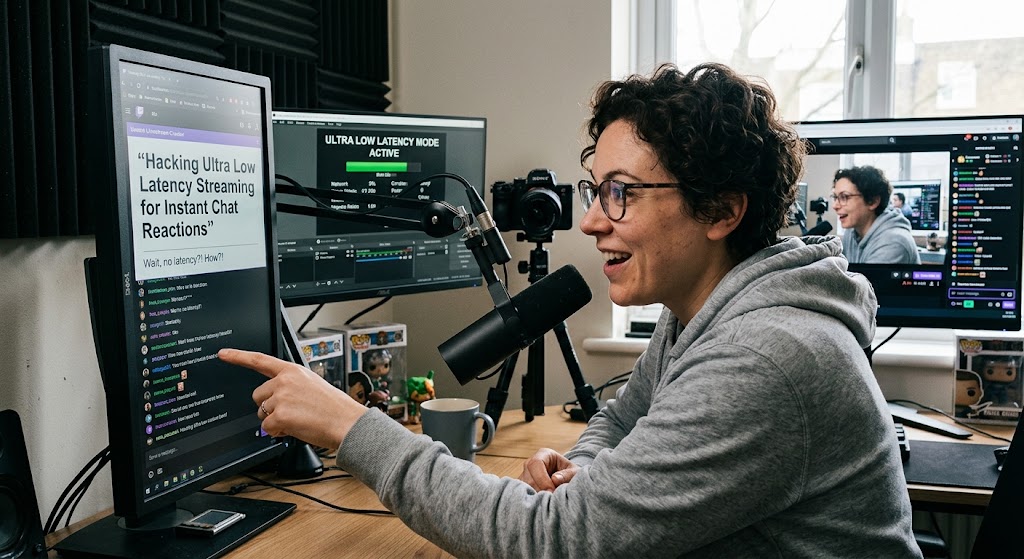
You greet a new viewer, they immediately crack a joke, and you laugh at it 15 seconds after they wrote it. That awkward gap is exactly why ultra low latency streaming matters. It turns a broadcast from a delayed video into something that feels much closer to a live conversation, especially when your content depends on chat reactions, games, polls, or spontaneous audience participation.

1. Ultra Low Latency Streaming Makes Real Time Chat Interaction Actually Feel Real
The first thing to understand is that latency is not simply “internet speed.” It is the delay between your camera or encoder capturing something and the viewer seeing it.
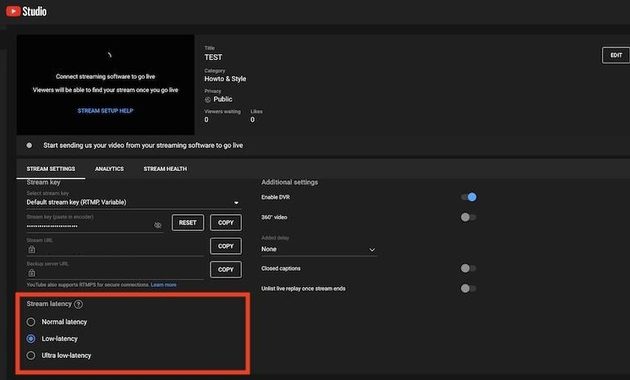
YouTube currently describes three main latency choices:
- Normal latency for broadcasts where interaction is not important.
- Low latency for limited interaction, with most viewers typically seeing less than 10 seconds of delay.
- Ultra-low latency for highly interactive streams, with most viewers typically experiencing less than 5 seconds.
That difference can completely change the personality of a stream.
Why Five Seconds Can Still Feel Fast
Imagine asking, “Should I take the left route?”
With normal latency, the viewer may answer after the moment has already passed. With a low-latency setup, their response can arrive while the decision is still relevant.
That creates real time chat interaction rather than simply reading comments from the past.
For gaming, Q&A sessions, live shopping, reaction content, and community streams, that responsiveness can be more valuable than squeezing out another level of image quality.
Twitch Has Taken The Same Approach
Twitch also offers Low Latency mode specifically to reduce the delay between broadcasters and viewers and encourage faster chat interaction. Twitch says the feature is enabled on most channels by default, although broadcasters can switch back to Normal latency when problems occur or interaction is not important.
That is an important clue for creators. Low latency is not a gimmick unique to one platform. It is a response to a genuine problem in interactive broadcasting.
2. Stream Delay Settings Need A Quality Tradeoff Before You Chase Instant Replies
Lower latency sounds better until you understand what you are giving up.
The Buffer Is Your Safety Net
A live player normally keeps some video data ahead of the exact moment being shown. That buffer helps absorb temporary network fluctuations.
When latency is reduced, that safety margin becomes smaller. YouTube explicitly warns that lower latency can increase playback buffering because viewers have less read-ahead video available.
So the choice is not simply:
Low latency = good
It is:
Lower delay + less buffering protection.
When To Choose Each Mode
Use Normal latency when:
- Your stream is mostly presentation or passive viewing.
- Audience replies do not affect what you are doing.
- Maximum playback stability matters more than immediate conversation.
Use Low latency when:
- You interact occasionally.
- Polls or questions matter.
- You want responsiveness without pushing the stream toward maximum interactivity.
Use Ultra-low latency when:
- Chat drives the content.
- You frequently answer viewers immediately.
- Reactions, decisions, or live feedback need to happen quickly.
YouTube currently does not support 4K with its low or ultra-low latency options, so creators who prioritize 4K have another reason to choose normal latency.
A Good Stream Delay Settings Test
Before changing your production setup, run a private or unlisted test.
Have someone watch from another device and perform a simple sequence:
- Say a specific word on camera.
- Ask the viewer to type when they hear it.
- Repeat several times.
- Compare the delay.
- Watch for buffering or quality drops.
You can also use this YouTube latency test guide to make the testing process more systematic.
The goal is not the smallest possible number. The goal is the lowest delay your audience can use without turning the stream unstable.
3. Broadcast Lag Can Destroy Instant Viewer Feedback If Your Network Cannot Keep Up
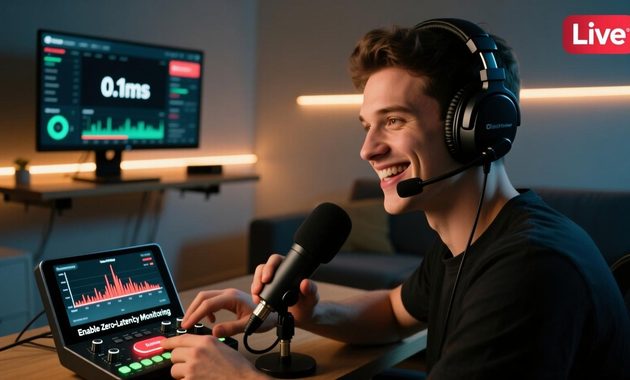
Once you enable low latency, network problems become more noticeable because the player has less buffer to hide them.
Why A Fast Internet Package Is Not Enough
YouTube recommends testing your stream with movement and audio similar to the actual broadcast and making sure your connection can sustain the selected bitrate.
A connection can look excellent during a speed test and still suffer from:
- Wi-Fi interference
- Upload congestion
- Packet loss
- Router problems
- Other devices consuming bandwidth
- Unstable bitrate delivery
That is why broadcast lag should be diagnosed from the actual stream rather than a single speed-test result.
Protect The Stream Before Protecting The Delay
If viewers start reporting buffering, don’t stubbornly keep the lowest latency setting.
Try this order:
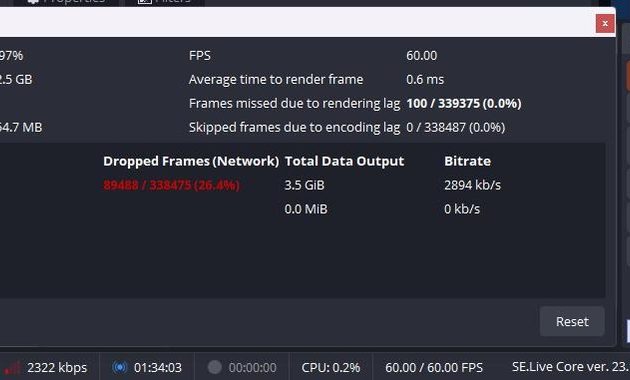
1. Check OBS or platform stream health.
Look for dropped frames, unstable bitrate, or connection warnings.
2. Reduce unnecessary upload traffic.
Pause cloud backups, large uploads, downloads with upload components, and other heavy household activity.
3. Test Ethernet.
A wired connection removes Wi-Fi interference as one variable.
4. Lower bitrate if necessary.
A stable stream with slightly lower image quality is usually better than an unstable high-bitrate broadcast.
5. Move back to Low latency.
If ultra-low mode repeatedly causes playback problems, the extra seconds of delay are a much better trade than making viewers watch a buffering icon.
YouTube itself recommends monitoring stream quality and testing before going live rather than assuming a particular setting will work perfectly for every network.
The payoff is bigger than simply answering chat faster. Reliable instant viewer feedback makes games, challenges, polls, reactions, and community decisions feel genuinely participatory.


Rei Nakamori has worked in digital accessibility and online safety education, supporting older viewers, families, and people using assistive technologies. She has reviewed video platforms for caption quality, device compatibility, account security, and ease of access. Her writing explains how to watch livestreams safely, recognize suspicious links, protect personal information, and choose accessible viewing options.